
Read your analysis in three steps
v.2 reads every official EuroJackpot draw through twelve lists. The page lays them out in one place, so you can interpret the analytical outputs with the full picture in front of you.
Science · Method · Evidence.
Press “Run Analysis”
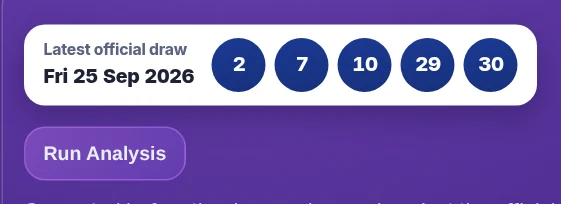
The latest official draw loads by itself in the white box. The button sits right under it. Your analytical outputs appear in a few seconds, built from the full EuroJackpot record up to that draw.
Read the four headline outputs
Under the button, the run is laid out in four groups: the AI candidate pool, the component models, the active models and the residual-zone selections. Every list uses the same blue balls, and none of them is marked out by colour. The four headline outputs, A, B, C and D, are the ones scored after the draw.
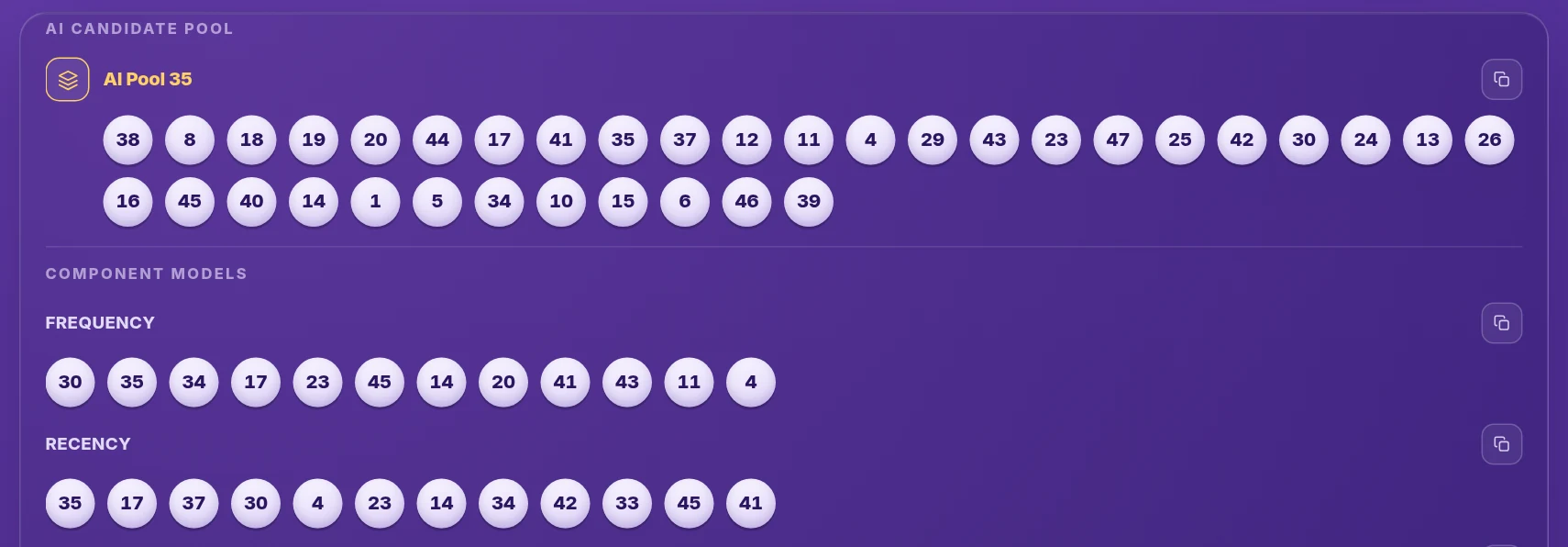
AI CANDIDATE POOL · COMPONENT MODELS
AI Pool 35 opens the run in its ranked order. Under it sit the seven component models, twelve numbers each: FREQUENCY, RECENCY, SPECTRAL, MARKOV, ENTROPY_ANOM, GAP_DEV and BASE_FUSED.
-
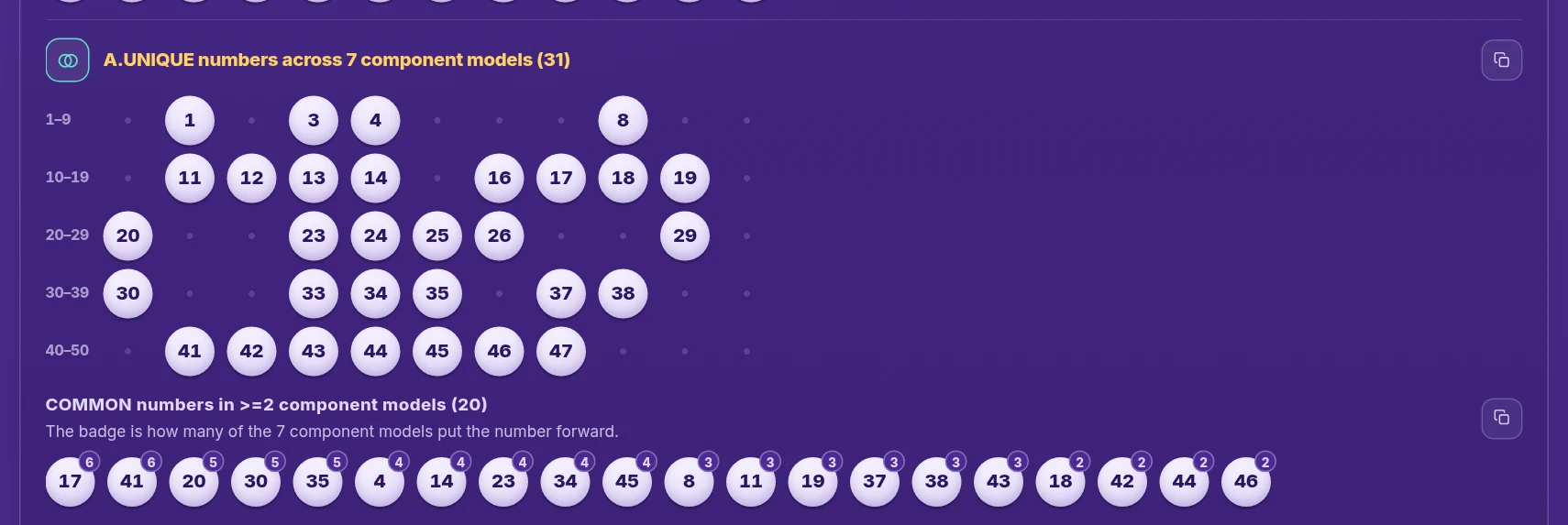
A.UNIQUE numbers across 7 component models (31)
The broad candidate pool. Seven component models analyse the fifty-number field independently, and A contains the union of their outputs.
ACTIVE MODELS
The five active models, twelve numbers each, sit under the component models: BASE, SET-LOGIT tuned, SET-LOGIT BMA, DPL (dynamic PL) and ARPL-only.
-
B.UNIQUE numbers across 5 active models (38)
The refined candidate pool, constructed from the five active models subject to zone, split-zone and parity constraints.
RESIDUAL ZONE INTELLIGENCE
-
C. A-Residual Zone Selection (19)
The first residual-zone selection. It holds every number that A leaves out.
-
D. B-Residual Zone Selection (12)
The second residual-zone selection. It holds every number that B leaves out.
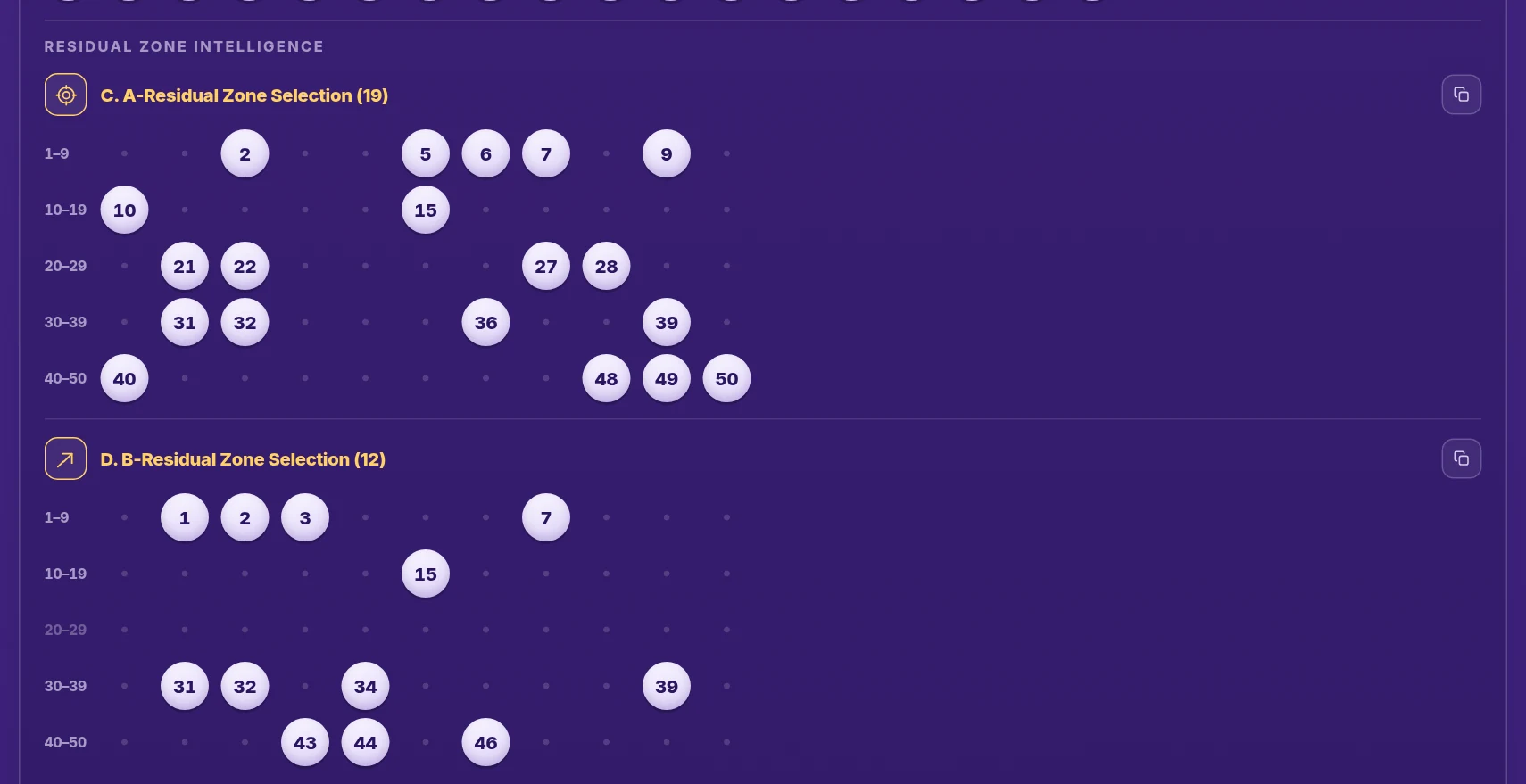
Tap any number and it lights up in every list, so you see at once where it belongs. The copy button beside each list copies it.
Interpret the analytical outputs
A simple way to read any run, shown here with the numbers from this one.
Start with B, the refined pool
B.UNIQUE numbers across 5 active models (38) is the narrower of the two candidate pools, built under zone, split-zone and parity constraints.
Read the COMMON line under B
Left to right, from the highest count down. The first numbers on it are the ones the most active models put forward. In this run it starts with 4, 6, 19, 35, 5, 12.
Compare with A and its COMMON line
A is the broad pool of the seven component models. In this run its COMMON line starts with 17, 41, 20, 30, 35, 4.
Widen with C or D
To look beyond the two pools, open C and D, which hold the numbers A and B leave out.
Check the spread
The zone rows show how the numbers of each list sit across the board, from 1–9 to 40–50.
Scientific analysis workspace
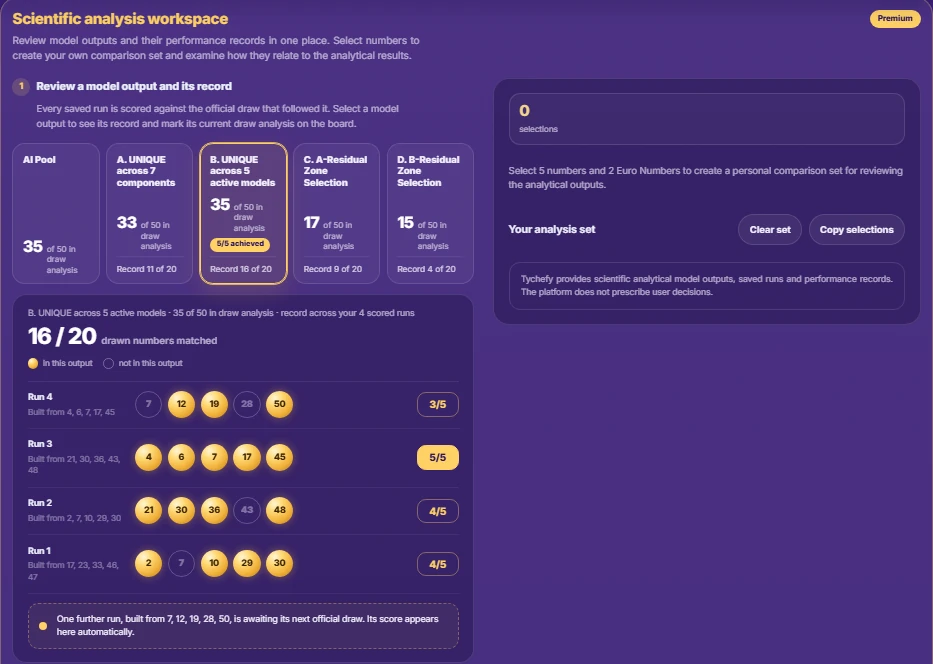
Under the outputs, the workspace brings every model output and its record together. It works in four steps.
Step 1. Review a model output and its record. Each card is one model output: AI Pool, A. UNIQUE across 7 components, B. UNIQUE across 5 active models, C. A-Residual Zone Selection and D. B-Residual Zone Selection. The large figure is the size of its current draw analysis; the line beneath it is its record across your scored runs. AI Pool is the candidate field the models start from, so it carries no separate record. Select a card to open that record. Every saved run is scored against the official draw that followed it: the drawn numbers the output held turn gold, the rest stay empty, and the score sits on the right. A run still awaiting its draw is marked with a gold pulse and is scored automatically once the draw is published. Until your first run is scored, the record shown is the public Tychefy record from the History page.
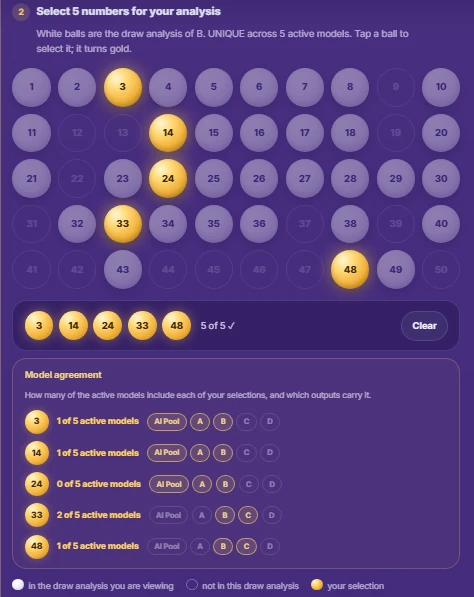
Step 2. Select 5 numbers for your analysis. White balls are the draw analysis of the output you selected; empty balls lie outside it. Tap a ball and it turns gold; once five are selected, the remaining balls dim. Your selections collect in the bar beneath the board, and Model agreement shows, for each of them, how many of the five active models include it and which outputs carry it: AI Pool, A, B, C or D.
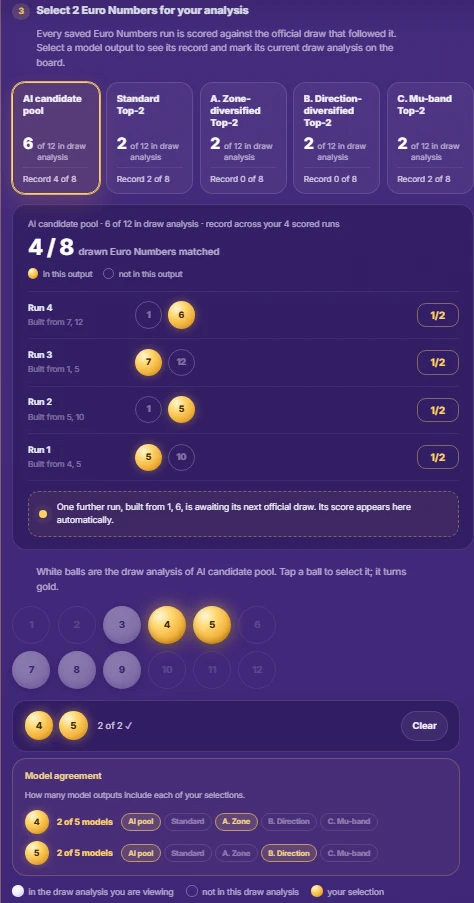
Step 3. Select 2 Euro Numbers. The Euro Numbers follow the same method, with their own five outputs and record: AI candidate pool, Standard Top-2, A. Zone-diversified Top-2, B. Direction-diversified Top-2 and C. Mu-band Top-2. Model agreement shows how many of the five outputs include each Euro Number you select.
Step 4. Build your analysis set. Add the selection to your analysis set, where your numbers and Euro Numbers appear in gold. Copy the set when you are done.
Your runs, scored
My saved runs
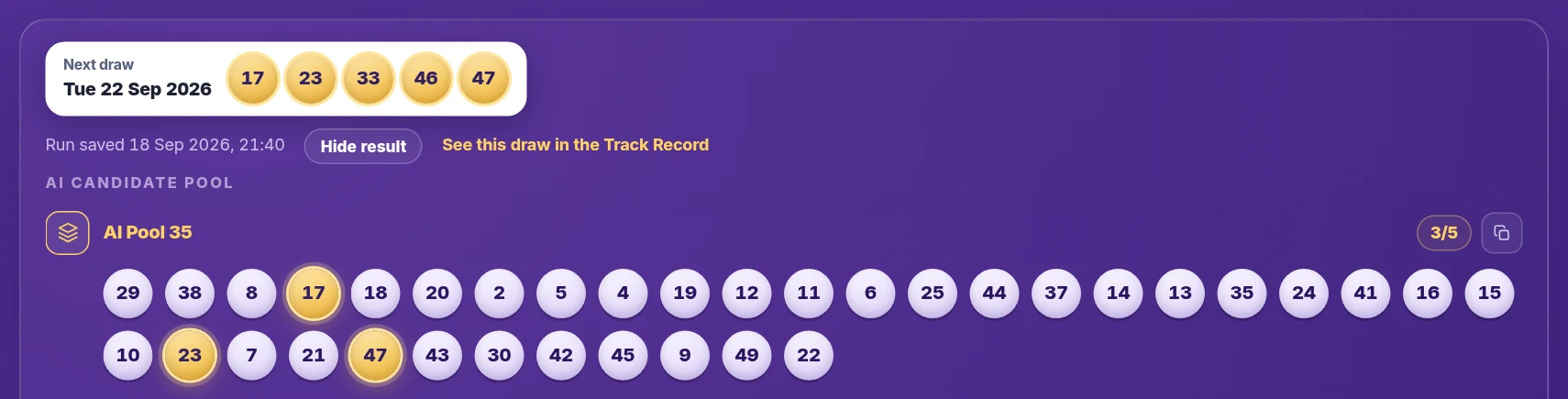
Every run is saved automatically and privately, and your five most recent stay under My saved runs. Select one and it opens exactly as it was saved, in the same form as the live run. Once the next draw is published, its numbers appear under Next draw and turn yellow in every list. The figure beside each label, such as 1/5, shows how many of the drawn numbers that list held. Hide result shows the run exactly as it was before the draw. The raw output under it holds the same run as text, ready to copy.
Model performance
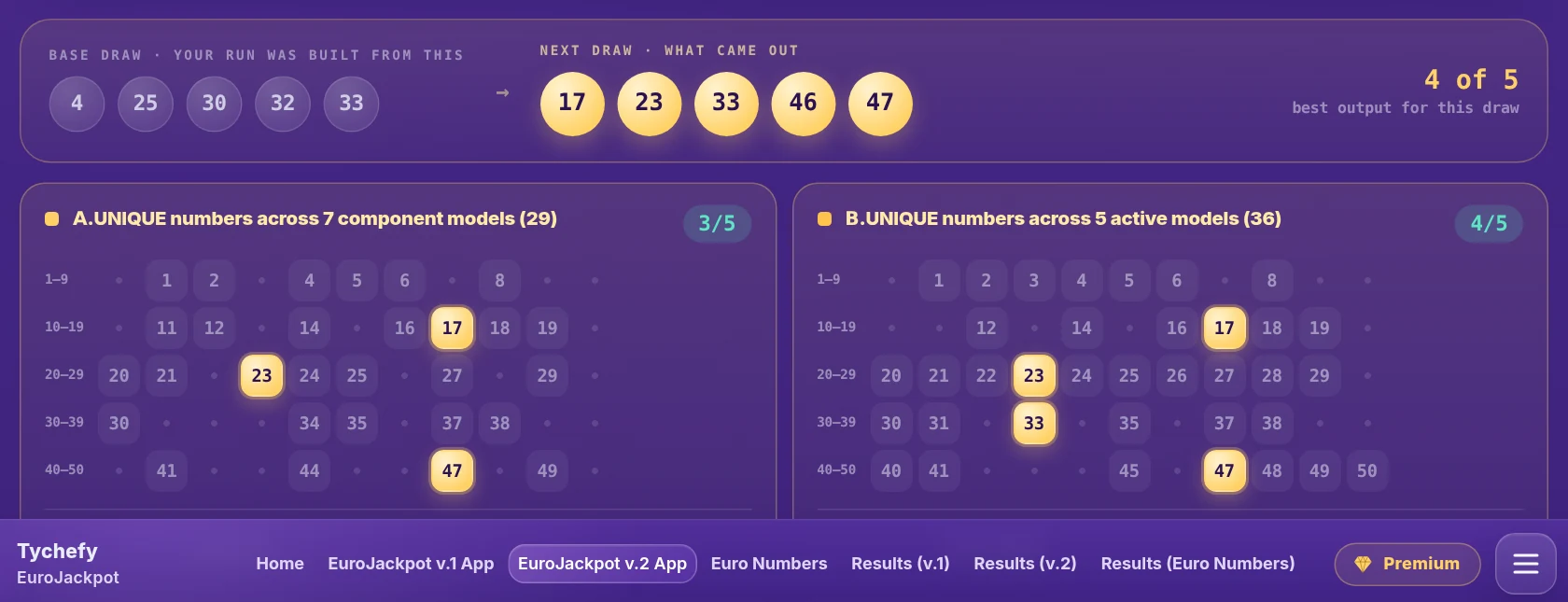
Each saved run is scored automatically against the draw that followed it. Yellow tiles are the numbers that came out, and the score sits top right of each output.
- Base draw · the draw your run was built from.
- Next draw · the draw that came out after it.
- Best output · the highest score among the scored outputs.
Across your saved runs puts every scored run in one table, and the last row adds them up. Select a row to open that run above. Your newest run joins the table once its next draw is published.
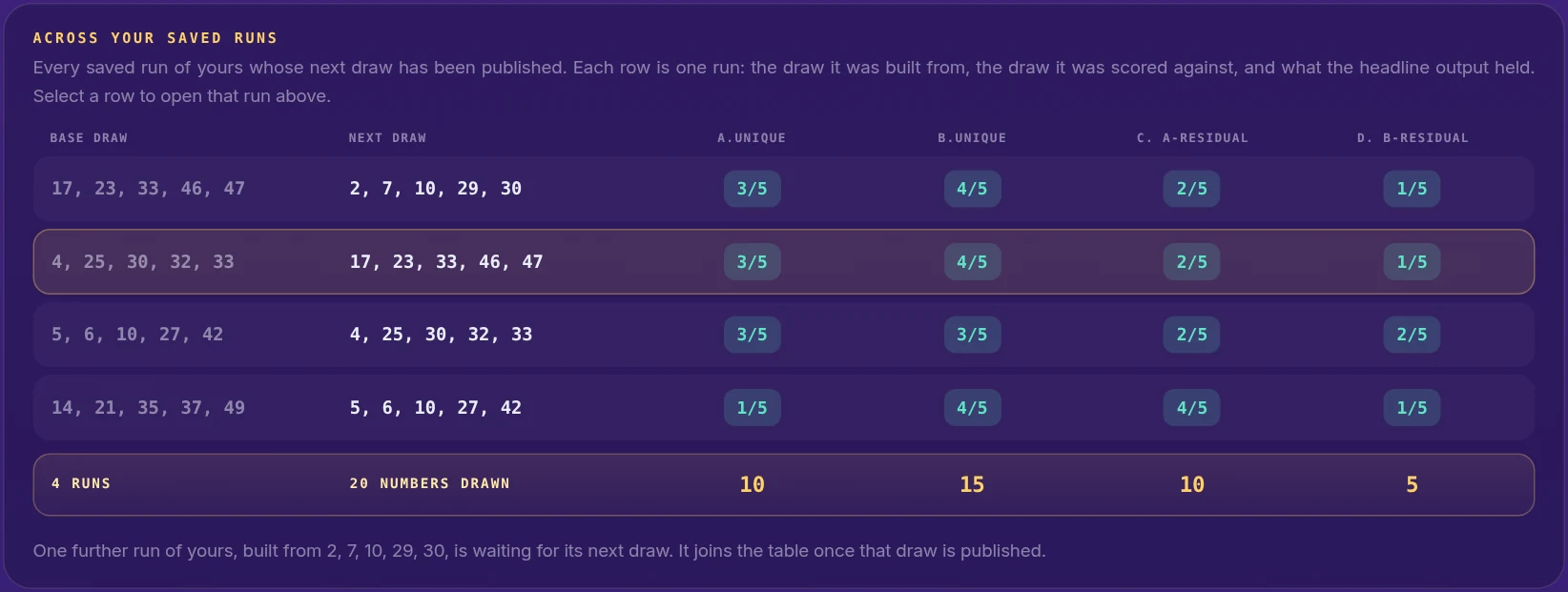
Just started? A run is scored once the draw after it is published, so the panel fills in one draw at a time.
Ready when you are
Looking for the two Euro Numbers? They have their own page and guide: Euro Numbers · guide.
Open EuroJackpot v.2 →Other guides: EuroMillions v.1 · EuroMillions v.2 · Lucky Stars · EuroJackpot v.1 · Euro Numbers